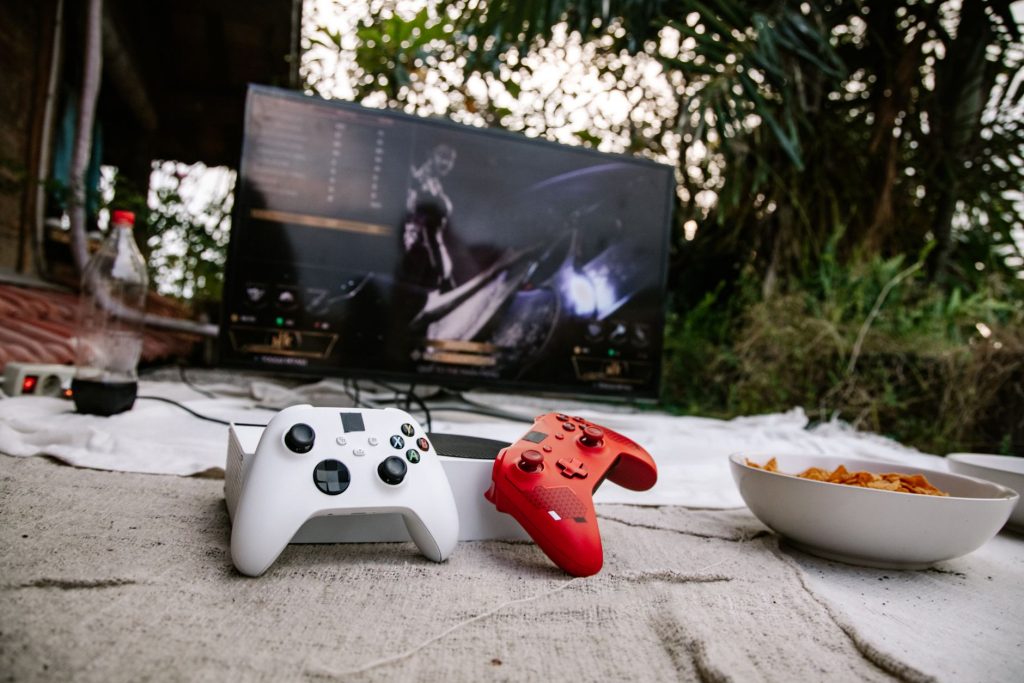
Finding the Best 4K Android TV Stick or Box for Streaming
Finding the Best 4K Android TV Stick or Box for Streaming
In today’s digital age, finding the right android tv device can be a game-changer for your home entertainment setup. Whether you’re looking to stream the latest movies, binge-watch your favorite shows, or explore IPTV services, a reliable 4K Android TV stick or box can elevate your viewing experience.
Why Choose an Android TV Device?
An android tv device offers a seamless way to transform your standard TV into a smart TV, providing access to a plethora of streaming services and apps. These devices are user-friendly, affordable, and support a wide range of content formats including 4K, ensuring you enjoy high-quality visuals.
Accessibility and Ease of Use
Android TV devices are designed with user convenience in mind. With intuitive interfaces and straightforward setup processes, they are perfect for all ages. For those looking to streamline their viewing experience, consider trying BareLauncher: A Minimal Android TV Launcher.
Vast App Ecosystem
With access to the Google Play Store, Android TV devices offer a vast library of applications. From streaming services like Netflix and Hulu to specialized IPTV apps, you’ll find everything you need. For more on IPTV apps, check out our Complete IPTV Guide 2026: Everything You Need to Know.
Key Features to Consider
When shopping for a 4K Android TV stick or box, consider key features that will enhance your streaming experience.
4K and HDR Support
Ensure your device supports 4K resolution and HDR for the best picture quality. This is crucial for modern TVs and streaming services offering high-definition content.
Processing Power and Storage
A good Android TV device should have a strong processor and sufficient storage to handle apps and streaming without lag. This is especially important if you intend to use it for gaming as well. For gaming enthusiasts, explore Best Gaming Controllers for Your Redmi Android TV Experience.
Connectivity Options
Look for devices with multiple connectivity options like HDMI, USB ports, and Bluetooth. This allows you to connect various peripherals, enhancing your media hub setup. Learn more about setting up a media hub in our guide on Build an Android TV Media Hub: DPAD, AI, and More.
Top 4K Android TV Sticks and Boxes
Here’s a look at some popular 4K Android TV devices currently on the market.
NVIDIA Shield TV
Known for its superior performance, the NVIDIA Shield TV is a top choice for gamers and streamers alike. It features a powerful processor, excellent AI upscaling, and supports all major streaming services.
Amazon Fire TV Stick 4K
The Fire TV Stick 4K offers a budget-friendly option with comprehensive 4K HDR support and a user-friendly interface. It integrates seamlessly with Alexa for voice control.
Xiaomi Mi Box S
Offering great value, the Xiaomi Mi Box S supports 4K HDR streaming and comes with Google Assistant built-in. It’s an excellent choice for those seeking a balance between price and performance.
Setting Up Your Android TV Device
Once you’ve selected your device, follow these simple steps to set it up:
- Connect the device to your TV via HDMI.
- Power on the device and follow the on-screen instructions to connect to Wi-Fi.
- Sign in to your Google account to access the Google Play Store.
- Download your preferred streaming and IPTV apps.
- Enjoy your enhanced viewing experience!
Frequently Asked Questions
Can I use an Android TV device with any TV?
Yes, as long as your TV has an HDMI port, you can connect an Android TV device to it.
Do Android TV devices support 4K streaming?
Most modern Android TV devices support 4K streaming, provided your TV and streaming services also support 4K.
Is it possible to play games on Android TV?
Yes, many Android TV devices support gaming. For the best experience, consider using a compatible gaming controller.
How do I update my Android TV firmware?
To update your Android TV firmware, go to the settings menu, select ‘Device Preferences,’ and then ‘About.’ Choose ‘System Update’ to check for updates.
Can I use voice control with Android TV devices?
Yes, many Android TV devices come with voice control capabilities, often integrated with Google Assistant or Amazon Alexa.
Conclusion: Upgrade Your Viewing Experience Today
Choosing the right android tv stick or box can significantly enhance your streaming experience. With options like the NVIDIA Shield TV, Amazon Fire TV Stick 4K, and Xiaomi Mi Box S, there’s a device to suit every need and budget. Start your journey into a world of endless entertainment by selecting the Android TV device that’s right for you. For additional insights, discover the Best IPTV Player for Android TV & Mobile. Happy streaming!
Frequently Asked Questions
Can I use an Android TV device with any TV?
Yes, as long as your TV has an HDMI port, you can connect an Android TV device to it.
Do Android TV devices support 4K streaming?
Most modern Android TV devices support 4K streaming, provided your TV and streaming services also support 4K.
Is it possible to play games on Android TV?
Yes, many Android TV devices support gaming. For the best experience, consider using a compatible gaming controller.
How do I update my Android TV firmware?
To update your Android TV firmware, go to the settings menu, select ‘Device Preferences,’ and then ‘About.’ Choose ‘System Update’ to check for updates.
Can I use voice control with Android TV devices?
Yes, many Android TV devices come with voice control capabilities, often integrated with Google Assistant or Amazon Alexa.